Reminder Fatigue: Why Your Phone Reminders Keep Failing (and What Works Instead)
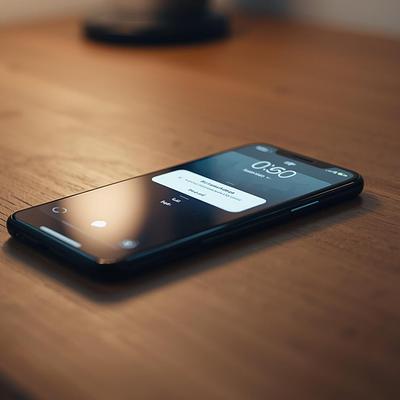
You set reminders so you don't forget. But then they go off during bath time, or in the middle of a work call, or while your phone was in another room. You swipe one away and mean to come back to it, but by the time you pick up your phone again there are 27 other notifications sitting on top of it.
If that sounds familiar, you're not bad at remembering. You're dealing with reminder fatigue: when reminders pile up faster than you can act on them, you start tuning all of them out, the important ones included.
Here's why phone reminders so often fail busy parents, and a calmer way to keep track of everything.
What is reminder fatigue?
Reminder fatigue sets in when the alerts meant to help you remember start adding to the noise instead. It's related to notification overload in general, but this post isn't about news alerts, social media or random app pings. Those are obviously distractions, and most of us already know to turn them off.
This is about the reminders we set for ourselves: "call the pediatrician," "sign the permission slip," "reorder the allergy meds." Apps like Apple Reminders let you trigger these on a date, at a time, or even when you arrive somewhere. It feels responsible. In practice, it often backfires.
Why phone reminders fail at the moments that matter
A reminder assumes you'll be free to act the moment it fires, and parents rarely are. When a reminder goes off at a set time, there's a good chance that:
- You're in the middle of something. You're driving, cooking or holding a toddler. You can't act on it, so you dismiss it and hope your brain holds onto it. Usually it doesn't.
- You're away from your phone. By the time you look, the reminder is buried under a stack of other notifications, and whatever gets skimmed past gets missed.
Either way, the job of remembering lands back on you, which is the job the reminder was supposed to take off your plate. That's why too many reminders can leave you more stressed. Every dismissed alert becomes one more thing you're carrying around. (If you're wondering how much you're carrying already, this mental load checklist makes the invisible stuff visible.)
The alternative: check your list instead of waiting to be told
The fix is to stop letting your phone decide when you think about a task and to check your list at natural transition points: when you finish one thing and are deciding what to do next.
That might be after school drop-off, after lunch, when the kids go down for a nap, or once they're in bed. When you look at your list at those moments, your tasks show up when you actually have the time and attention to do something about them.
This works because it matches how your day already runs. You're choosing when to deal with things instead of being interrupted by them. If you want a simple structure for this, here's how to plan your day in five steps.
The same goes for your calendar. If your days are full of scheduled activities like meetings, practices and appointments, glance at your calendar several times a day instead of relying on a notification for each event.
When reminders are worth it
Reminders still have a place. Save them for things that are both important and tied to an exact time, where missing the moment has real consequences:
- Calls and video appointments
- Flights and other travel departures
- School pickups on unusual days (early release, a changed pickup spot)
- Medication doses that need exact timing
One trick helps a lot. If a time-sensitive event falls in an otherwise unscheduled stretch of your day, set a couple of reminders, starting an hour or two ahead. The early ones give you a heads-up, so when the final "stop what you're doing" reminder fires, you're already expecting it and ready to act.
The problem with recurring reminders
Recurring reminders have an extra problem. Say you set a weekly reminder to water the plants, or a monthly one to check the kids' lunch accounts. This week you get to it a day late. Most reminder apps still fire next week's reminder on the original day, only six days later.
Now the reminder is out of step with reality. You either do the task too early or you dismiss the reminder and have to remember to do it tomorrow, which is the exact mental load you were trying to get rid of. Over a few weeks, those small misalignments pile up. (More on this in a better way to keep track of recurring appointments and on tasks you only do occasionally.)
Some recurring tasks really do need a fixed schedule, like trash day or a standing appointment. Many others, like changing the HVAC filter, deep-cleaning the fridge or rotating the kids' clothes, should come due a set time after you last did them, not on a fixed date.
A calmer way to keep track of family tasks
Here's the short version:
- Turn off reminders for anything you can handle when you get to it.
- Check your task list and calendar at natural transition points in your day.
- Keep reminders for things that are both important and time-critical, and stagger them.
- Let flexible recurring tasks slide forward from when you actually did them, instead of firing on a fixed date.
That last point is why we're building Gantry. It keeps one-off and recurring tasks in one place, and for each recurring task you choose whether it follows a fixed schedule or simply comes due a set interval after you last did it. The goal is less remembering and fewer interruptions for the whole household.
Frequently asked questions
- How do I stop reminder fatigue?
- Cut your self-set reminders down to the ones that are both important and tied to an exact time. For everything else, check your task list at natural pauses in your day instead of waiting for an alert.
- Are phone reminders bad for productivity?
- Not always, but they interrupt you at times you didn't choose, and a dismissed reminder is easy to lose. They work best for a small number of time-critical events.
- What's the best way to handle recurring tasks?
- Decide whether each task truly needs a fixed date. Tasks like trash day do, but many household chores work better when the next due date is counted from when you actually did the task last.
Stay on top of what matters
Join the waiting list for early access to Gantry, plus a personal discount code.